Notification Parameters
Quick Replies
Explains Webchat quick replies. Useful for offering the user a short set of selectable responses alongside a message.
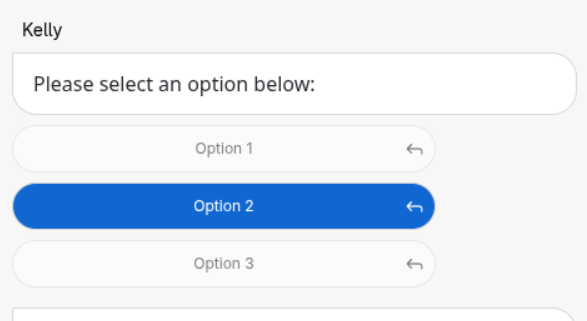
To add quick replies, add quick_reply to webchat_message, alongside type and value
quick_reply.type must be "buttons" (the only supported type)
quick_reply.params.options is a list of { "label": "..." } objects, one button per option
Constraints
- Only the first 5 options are shown - any beyond that are silently dropped
labelis the only field the button displays, but the value string is echoed back when tapped- Once any option is tapped, all the buttons on that message disable - a quick reply cannot be answered again or changed
Reading the reply
Tapping a button sends a normal text message back to the stub, with value set to the option's label, and quick_reply set to a one-item array containing the full option that was tapped:
~~stub.data._incoming_webchat_data.webchat_message.quick_reply.0.value gives the option's own value - more reliable to branch on than the label text, since the label is free text meant for display.