Concepts
Teams and Permissions
Teams are the primary way to distribute permissions to users in your org. There are two separate permission systems, and teams play a role in both — but they work differently in each.
Note: If you create a new top-level team that is not a child of the All team, members of that team will not be able to view stubs or run actions by default. You will need to explicitly grant them system permissions via a contact list. See System Permissions below.
Teams
Every org has an All team by default. Any team that is a child of the All team inherits its permissions. Historically all teams were children of the All team, but you can now create additional top-level teams — teams with no parent, independent of the All team hierarchy. This is useful for creating isolated groups of users with a completely separate permission profile.
Teams can be nested: a team can have a parent team, and its merged members will include all members from its child teams. Permissions flow down from parent to child.
Manage Interface Permissions
The first permission system governs what users can see and do inside the Console and other Stubber interfaces. These are the permission toggles you configure on each team in Console.
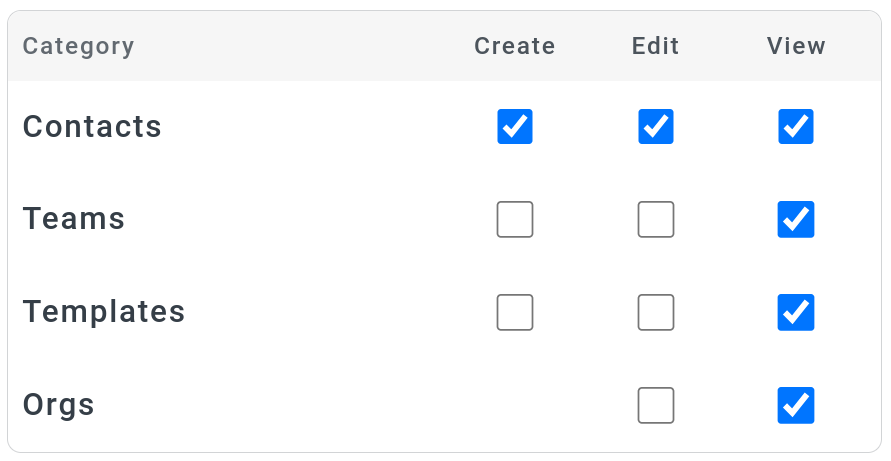
The available permissions are:
These permissions have no effect on stub viewing or action execution — that is handled entirely by the system permission system below.
System Permissions
The second permission system governs who can view stubs and run actions at runtime. This is completely separate from the Manage interface permissions and is configured on templates, not on teams directly.
Contact lists
A contact list is a named list of contact UUIDs defined on a template. When you add a team's contactuuid (not the teamuuid) to a contact list, every member of that team becomes part of the list. This is how teams feed into the system permission system.
You can find contact lists and default permissions in the template builder via the menu in the top toolbar:
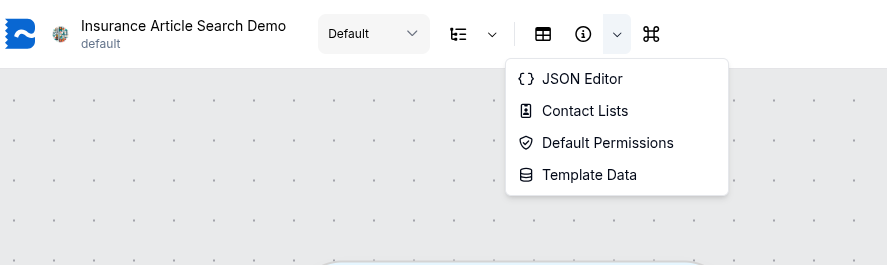
Permission types
There are three system permission types that can be granted to a contact list:
Configuring default permissions
Default permissions are set on a template and define which contact lists have which system permissions. The configuration looks like this:
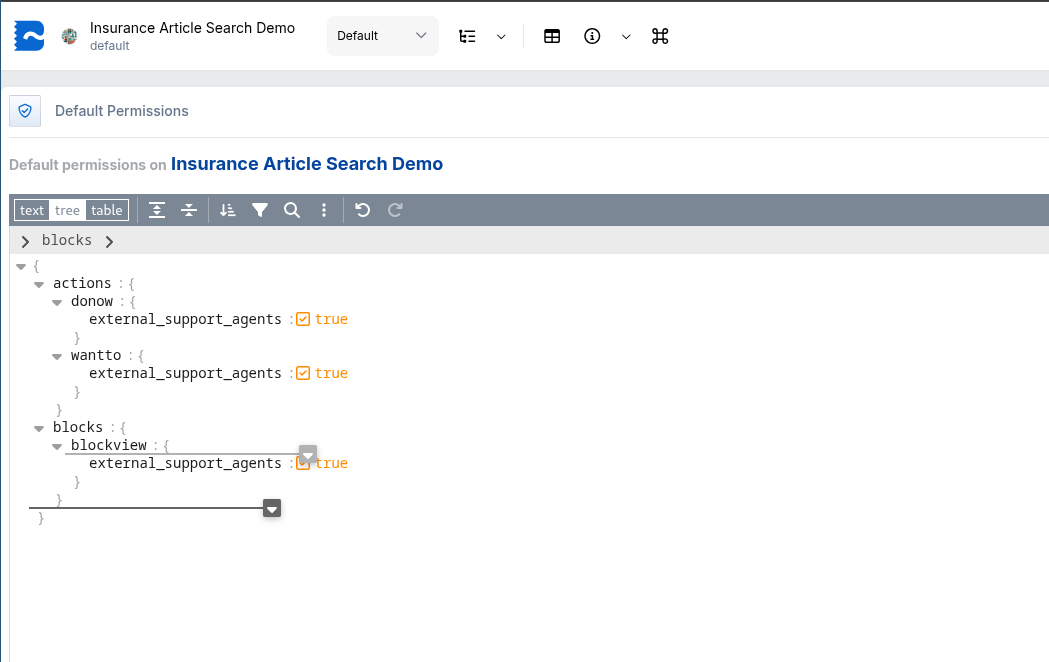
Here the external_support_agents contact list has been granted wantto, donow, and blockview — meaning all contacts in that list can view stubs and run actions on this template.
The contact list itself is configured separately, where you define its name and which contactuuids (including team contactuuids) are members:
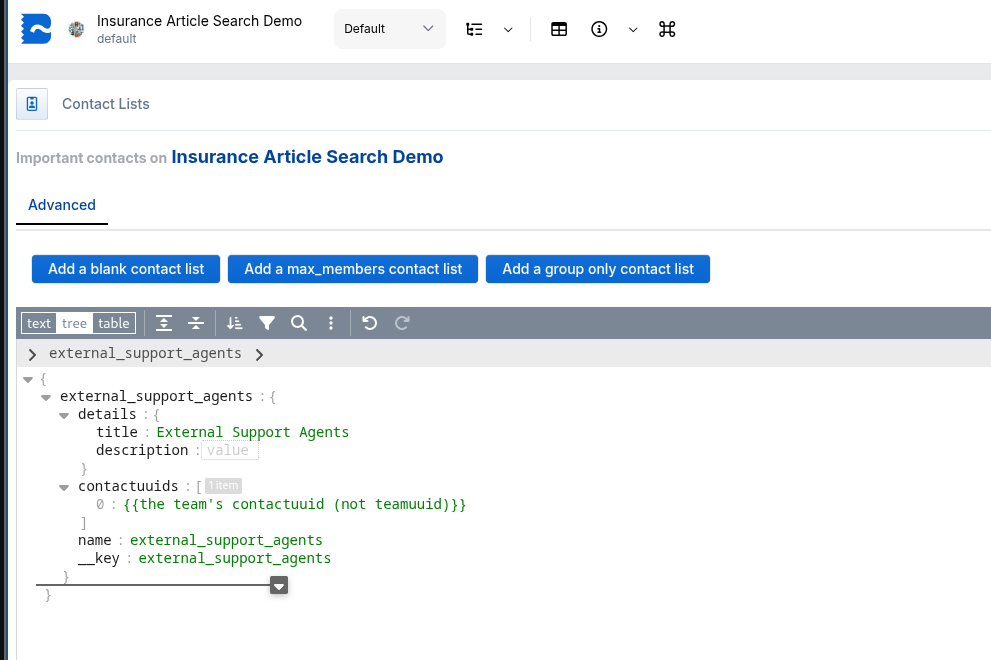
Org-wide system permissions
The recommended way to configure system permissions org-wide is to set them on the _org system template. All templates in your org inherit from _org, so any contact list and default permissions you define there will automatically apply across your entire org.
The platform-level default is defined in the _adam template, which sets baseline permissions for all orgs. The _org template inherits from _adam, and all your org's templates inherit from _org.
By default, members of the All team (and any child teams) have permission to view stubs and run actions, as this is configured in _adam. If you create a new top-level team outside the All team hierarchy, you will need to add that team's contactuuid to the relevant contact list in _org (or on individual templates) to grant them system permissions.