Platform
StubberDB
Explains the StubberDB Admin application. Useful for exploring an organization's database tables, running ad hoc SQL queries, and creating and applying migrations.
Overview
The DB application gives you direct access to your Org's StubberDB. You can use it to:
- Explore tables and inspect their data
- Run ad hoc queries in the SQL Editor
- Create, review, and apply database migrations
Navigating to StubberDB
Open the app switcher in the top-right corner of any Stubber application and select DB.
This opens StubberDB Admin for your current Org.
Exploring Tables
The Overview page lists the tables available in your Org's StubberDB. Use the table filter or the sidebar to find a table, then select it to inspect its data.
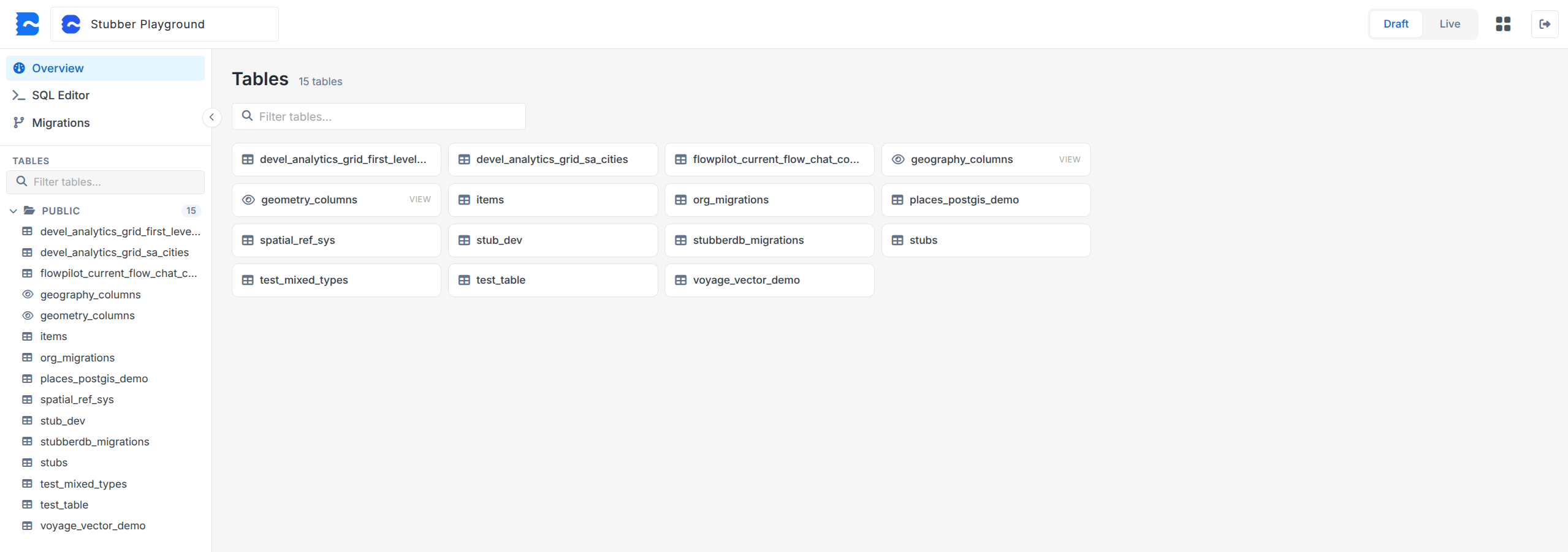
Use the Draft and Live selector in the top-right corner to choose which database branch you are working with.
Running Queries
Open SQL Editor from the sidebar to write and run ad hoc SQL queries against the selected database branch.
Review the selected branch before running a query, especially when executing statements that change data or database structure.
Managing Migrations
Open Migrations from the sidebar to view the migration history and manage schema changes.
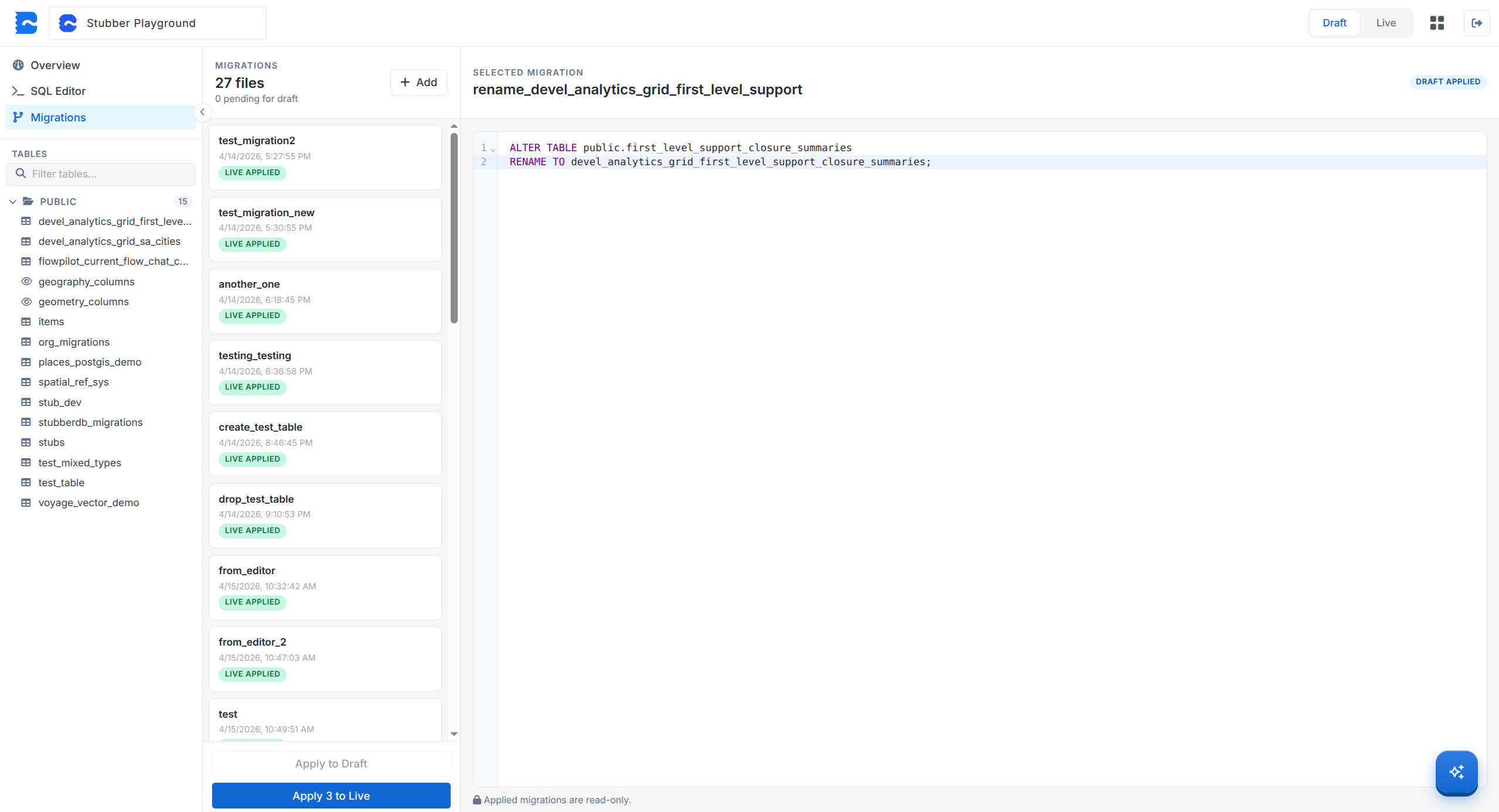
From this view, you can:
- Review existing migrations and their application status
- Add a migration and write its SQL statements
- Apply pending migrations to the Draft database
- Apply migrations to the Live database after they have been applied to Draft
Applied migrations are read-only. Check migration SQL carefully before applying it because its changes affect the selected database branch.