Feedback Action Filters
Explains filters for incoming email feedback actions. Useful for blocking unwanted senders, controlling routes, and preventing unnecessary Stubber actions.
General Information
Feedback action filters allow you to completely drop incoming emails before they trigger any actions on Stubber. Filtered emails are not stored in any database and no actions are run — they are silently discarded.
This is useful when you want to ignore emails from certain senders, or emails where you are only CC'd or BCC'd.
Filters apply across all three incoming email types:
- Stub emails — emails sent directly to a stub address (e.g.
2026-06-24-STUB-ABCD@stubber.email). Only org-level filters apply here. - Mailbox emails — emails arriving on a Stubber Email Mailbox. Org-level and mailbox-level filters apply.
- Profile emails — emails arriving on an Email Profile. Org-level and profile-level filters apply.
Filters can be configured at up to two levels:
- Org level — applies to all incoming emails across the entire organization, regardless of how they arrive.
- Mailbox / Profile level — applies only to emails arriving on that specific mailbox or profile.
Org-level filters are always evaluated first. If an email is not dropped at the org level, mailbox or profile filters are then evaluated. An email only needs to match one filter at any level to be dropped.
Configuring Filters
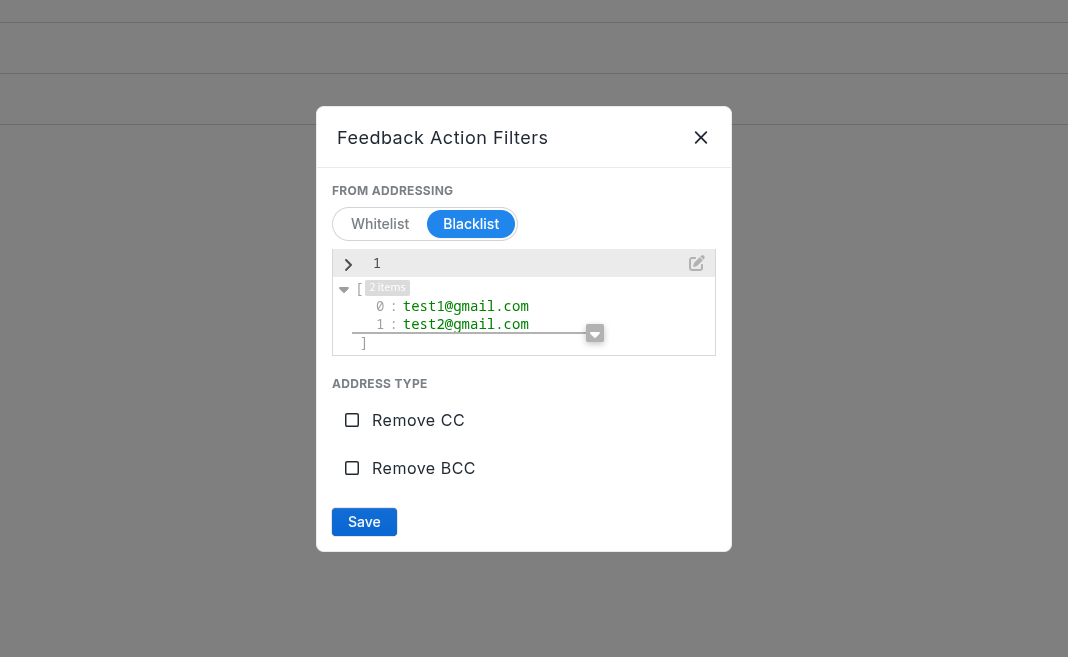
All filter levels share the same configuration options. The edit panel looks like this:
Org Level
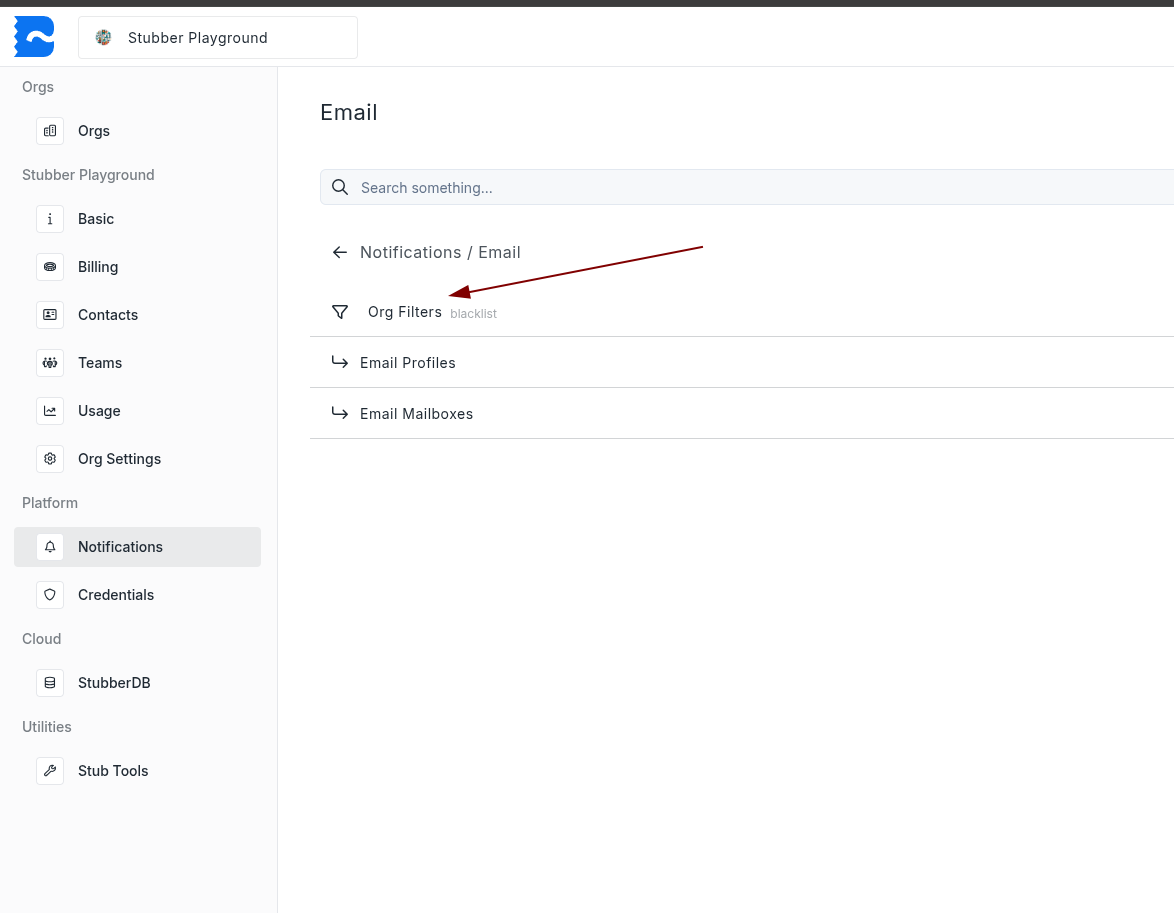
Org-level filters apply to all incoming emails across your organization. To configure them, navigate to your organization settings in Manage and open the Feedback Action Filters panel under email settings.
Mailbox Level
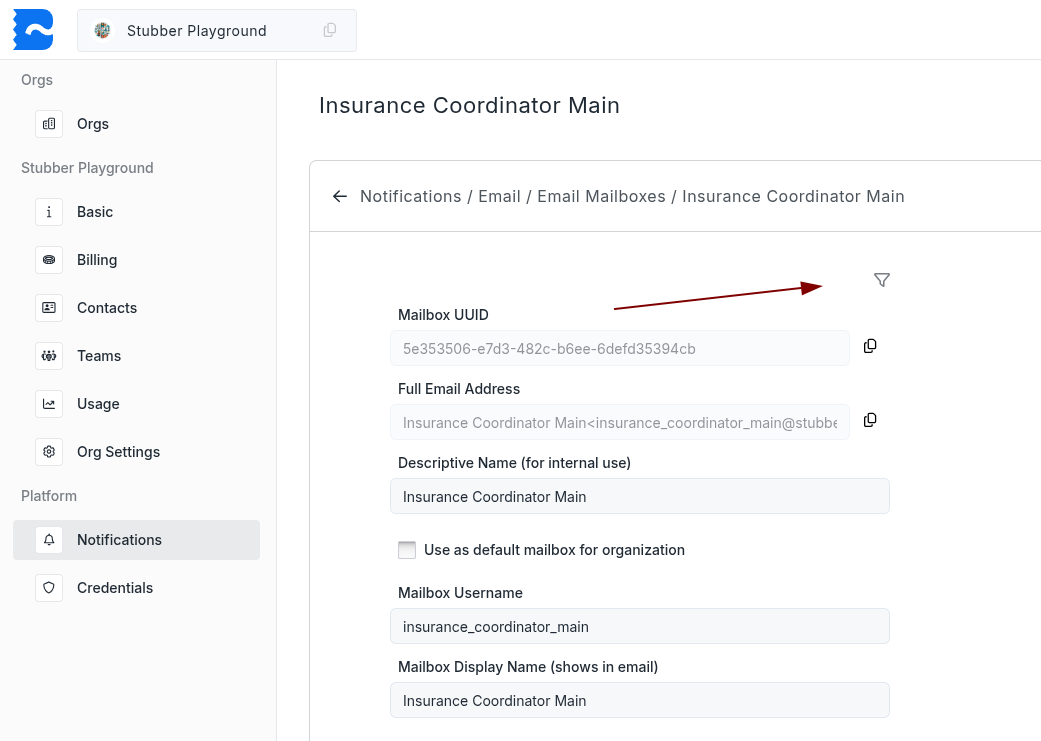
Mailbox-level filters apply only to emails arriving on a specific mailbox. To configure them, navigate to your mailbox in Manage and open the Feedback Action Filters panel.
Profile Level
Profile-level filters work the same way as mailbox-level filters. Navigate to your email profile in Manage and open the Feedback Action Filters panel.
Filter Options
From Addressing
Controls which sender addresses are allowed through. Select either Whitelist or Blacklist as the method, then provide a list of email addresses.
- Whitelist — only emails from addresses in the list will be processed. All others are dropped.
- Blacklist — emails from addresses in the list will be dropped. All others are processed.
method required string
Either "whitelist" or "blacklist".
whitelist required if method is whitelist array of strings
List of email addresses to allow. Only used when method is "whitelist".
blacklist required if method is blacklist array of strings
List of email addresses to block. Only used when method is "blacklist".
Address Type
Controls whether emails where you are only CC'd or BCC'd should be dropped.
remove_cc optional boolean
If true, emails where your address appears only in the CC field will be dropped.
remove_bcc optional boolean
If true, emails where your address appears only in the BCC field will be dropped.