Blocks
Header
Explains the Header block for showing key stub information and actions. Useful for summaries, navigation, menus, snapshots, and high-priority process context.
The header block contains information such as the stub's subject, stubref, template, and state.
The header block also indicates if the stub was created from the draft branch.
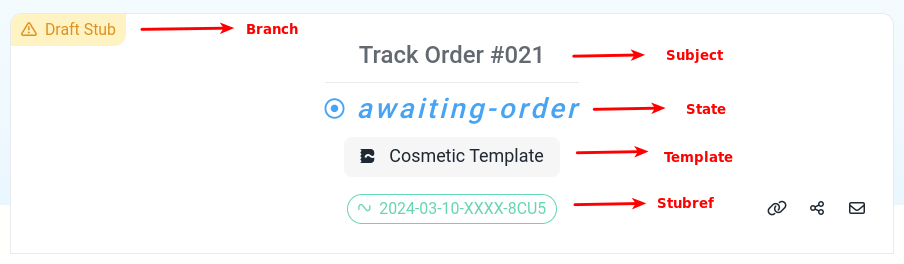
Basic Usage
This example block is added to the stub layout via the layout editor and is only visible to stubber authenticated users.
The default configuration is as follows :
Header Menu
The header block includes a dropdown menu (accessible via the ⋮ button) with actions for working with the stub. Available options include:
- View stub list — navigates to the stub listing for the current template.
- Save stub snapshot — saves a snapshot of the stub's current state.
- Restore stub snapshot — opens a submenu listing all previously saved snapshots to restore from.
- Chat view — opens the Chat View for the stub in a new tab.
Snapshots
Snapshots allow you to save and restore the state of a draft stub. This is particularly useful during template development — you can save a stub at a known-good state, iterate freely, and restore it without starting over.
Save and restore is only available on draft stubs. The options do not appear on live stubs.
Saving a Snapshot
Click Save stub snapshot from the header menu. This triggers the _save_stub_snapshot action, which opens a form allowing you to name the snapshot before saving.
Each snapshot name is unique per stub — saving a snapshot with the same name as an existing one will overwrite it.
Restoring a Snapshot
Click Restore stub snapshot from the header menu. A submenu lists all previously saved snapshots for the stub. Select one to restore the stub to that state.
The restore option is greyed out if no snapshots have been saved yet.
Setting Up Snapshot Actions in Your Template
The save and restore UI in the header relies on the base actions _save_stub_snapshot and _restore_stub_snapshot. For the underlying task configuration, see the Snapshot Save and Snapshot Restore task documentation.