Org Settings
Stubbucks Limits
Explains the stubbucks limit org settings that watch what a single stub spends and trigger an action when it goes too far. Useful for runaway loop protection, cost alerting, budget ceilings, and automatically stopping expensive stubs.
Stubbucks Limits watch the total stubbucks a single stub has spent over its lifetime. When that total crosses a threshold you set, Stubber triggers a feedback action on that stub, and you decide in the action what should happen.
There are two independent limits, each with its own action:
The usual pattern is a soft limit that notifies someone, and a hard limit that stops the stub using the Disable Stub Task.
Limits are per stub, not per org. A limit of 250 stubbucks means each stub may spend 250 stubbucks, not that your whole org may spend 250.
Enabling Stubbucks Limits
Stubbucks Limits are off until you turn them on. Existing stubs and templates are unaffected until you do.
Navigate to Org Settings and find the Stubbucks Limits section.
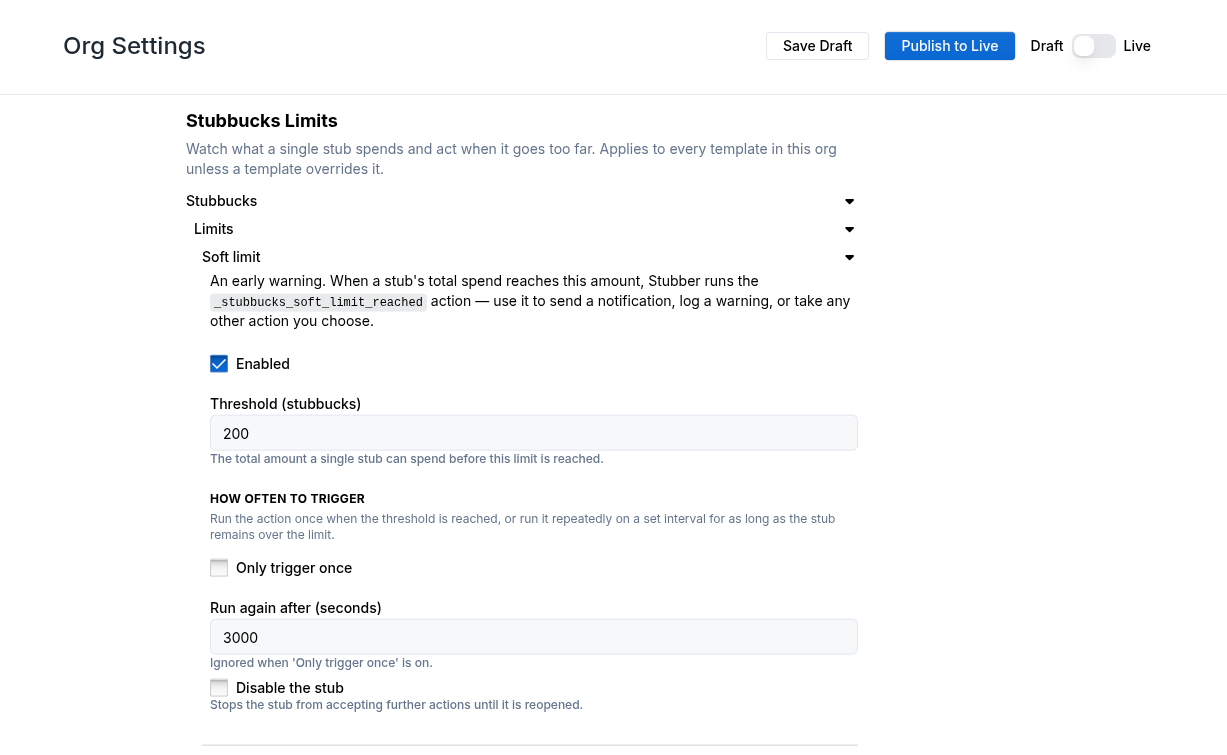
Set the threshold for the limit you want, tick Enabled, then Save Draft and Publish to Live.
Setting a threshold on its own does nothing. A limit only ever acts once Enabled is ticked.
Settings
Both the soft and the hard limit take the same settings.
Enabled boolean
Whether this limit does anything at all. A limit with a threshold but no enabled is ignored.
Default: off
Threshold (stubbucks) number
The total stubbucks one stub may spend over its lifetime before this limit trips.
Only trigger once boolean
Trigger the action once for a stub and never again, even if the stub keeps spending.
Default: off
Run again after (seconds) number
While a stub stays over the limit, run the action again this often. Leave it empty to only run the action once, when the limit is first crossed. Ignored when Only trigger once is on.
Disable the stub boolean
Read by the limit action to decide whether to stop the stub. This setting does not disable anything by itself, the Disable Stub Task inside the action does, based on this value.
Default: off
When the action runs
The limit triggers on the crossing, not on every action afterwards. A stub that goes from 240 to 260 stubbucks against a 250 threshold triggers once. The next action, at 300 stubbucks, does not trigger again unless you have set Run again after.
Two less obvious cases:
- If you lower a threshold below what a stub has already spent, that stub triggers once on its next action rather than being skipped.
- Once a stub is disabled, no further limit actions run on it until it is reopened. If your hard limit disables the stub, that is the last limit action that stub will see.
Actions that do not write to the stub (read only actions) never trigger a limit.
Editing in the _org template
Org Settings is the recommended place to manage these. If you need to hand-edit them, they live under _org_settings.stubbucks.limits in the _org system template, following the steps in Adding Org Settings.
Thresholds are entered in stubbucks, not msb.
Each limit also accepts an optional action_name, which overrides the action that limit triggers. This is not exposed in Org Settings, since an action name that does not exist in the template will simply be rejected when the limit trips.
After adding or changing the settings, publish the _org template for the changes to take effect.
Overriding for a single template
Because _org_settings is inherited, every template in the org picks these limits up. An individual template can override any of the values by setting them in its own template data.
To switch a limit off for one template, set enabled to false on it. Removing the key is not enough, since inherited settings are merged rather than replaced.