Orgs
Org Settings
Describes organization settings that centralize configuration shared by templates and platform behavior across an org.
Org Settings are a way to manage settings across all templates in an org.
Adding Org Settings
The main place to manage your Org Settings is the Org Settings page. Each available setting is presented there as a form field, and your changes are saved as a draft and then published to live.
Org Settings are stored in the _org system template, so you can also hand-edit them there if required, for example to set something that does not yet have a field on the Org Settings page.
To hand-edit them, navigate to the _org template for your organization. Ensure that System templates is enabled in the search filters when searching for the template
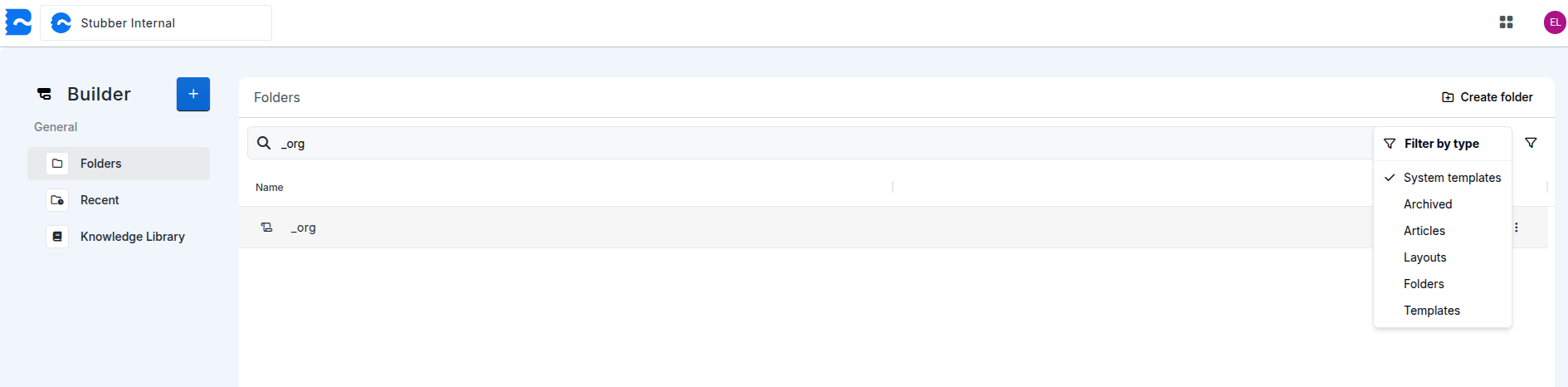
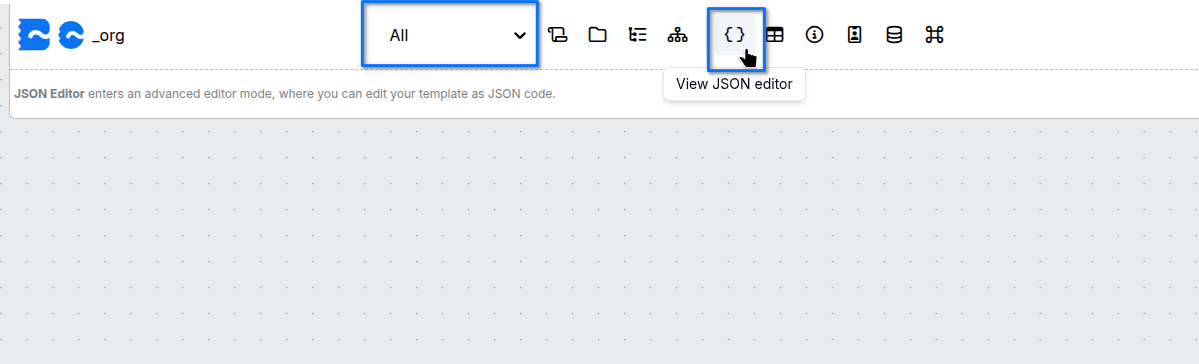
After navigating to your organizations _org template, switch to the all context.
Once in the all context, open the JSON editor to edit the template data for the _org template.
Once inside the JSON editor, add a _org_settings object under data
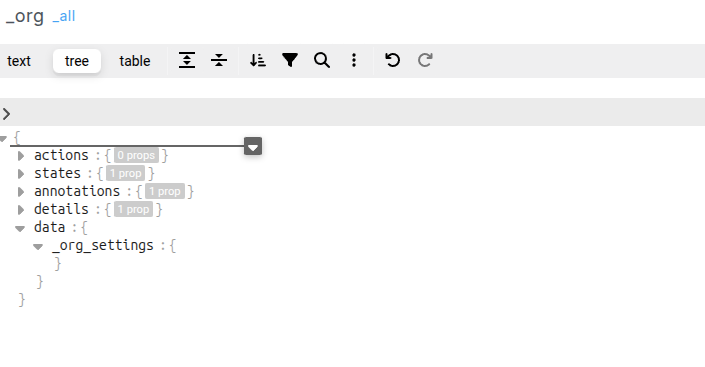
This is where the _org_settings for an organization will live. Specific settings added here will be applied to all templates in the org
When adding, changing, or removing _org_settings, the _org template will need to be published for the changes to take effect.
Available Org Settings
For more information on a specific org_setting use one of the links below
- Timezone Settings
- Stubbucks Limits
- Execution Limits
- Data Residency and Processing