Org Settings
Timezone Settings
Explains timezone org settings for controlling date and time behavior across templates, actions, schedules, and user-facing outputs.
Timezone Settings are used to set a default timezone for the Sugar Time Helper, Save Sugartime Task and the Schedule Task
Timezones use the IANA Timezone Name to set the timezone.
Adding a Timezone to Org Settings
The timezone can be set on the Org Settings page, by picking the IANA Timezone Name from the timezone dropdown and publishing your changes.
The rest of this page covers setting it by hand in the _org template, which does the same thing.
Ensure that you have completed the steps for adding Org Settings to the org which you would like to add the timezone to.
Navigate to the _org system template for your organization. After having done so, switch to the All context and switch to the JSON editor and navigate to the _org_settings object in the template data.
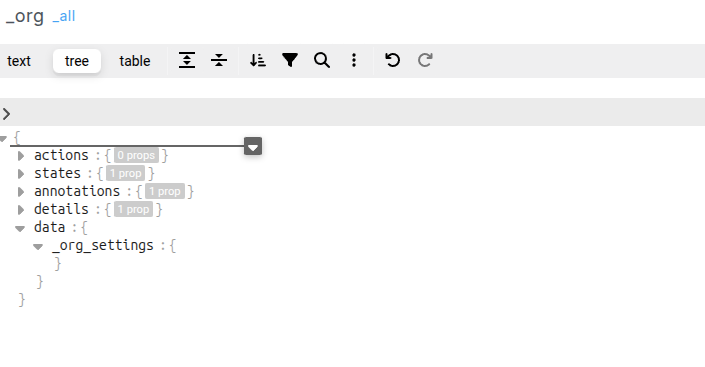
Within _org_settings add a new locale object and within that add a timzone object with a name key
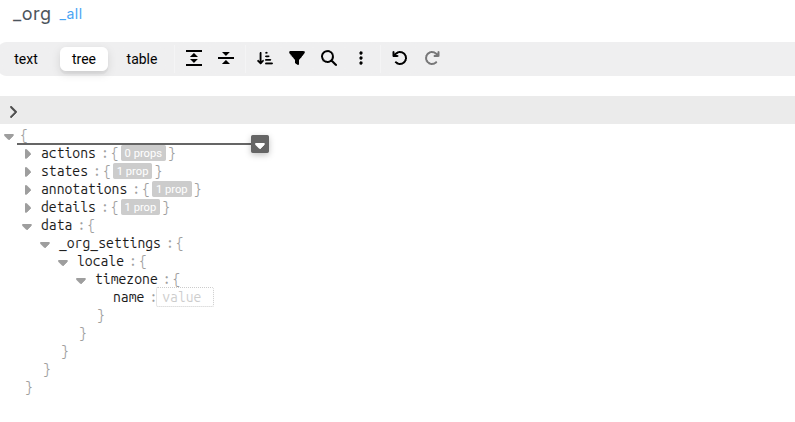
The value for the name should be the IANA Timezone Name, e.g Africa/Johannesburg, Asia/Tokyo, America/New_York
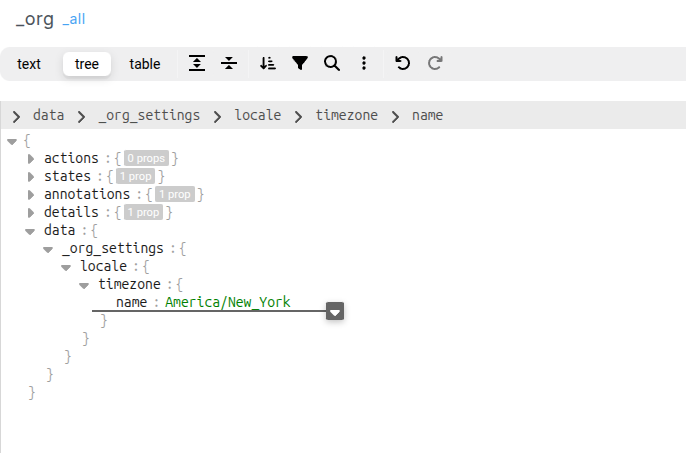
After adding the timezone, publish the _org template to ensure that the new timezone setting takes effect.