Org Settings
Timezone Settings
Timezone Org Settings
Timezone Settings are used to set a default timezone for the Sugar Time Helper, Save Sugartime Task and the Schedule Task
Timezones use the IANA Timezone Name to set the timezone.
Adding a Timezone to Org Settings
Ensure that you have completed the steps for adding Org Settings to the org which you would like to add the timezone to.
Navigate to the _org system template for your organization. After having done so, switch to the All context and switch to the JSON editor and navigate to the _org_settings object in the template data.
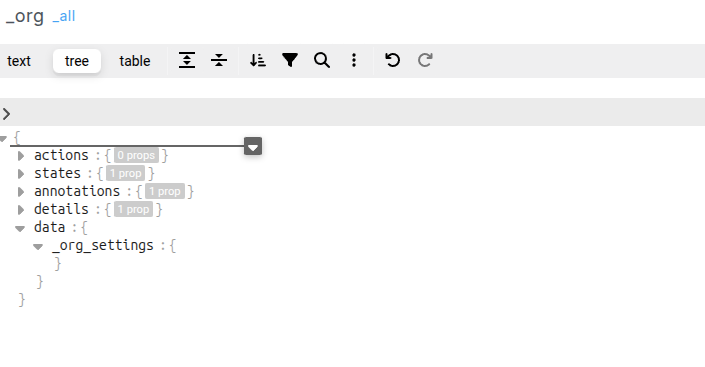
Within _org_settings add a new locale object and within that add a timzone object with a name key
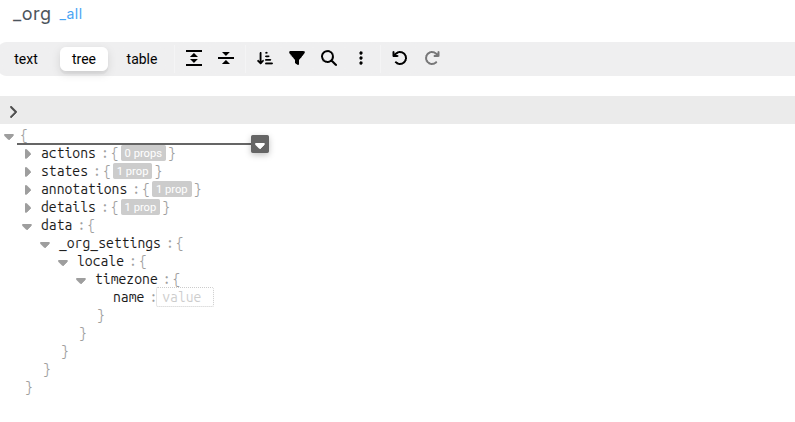
The value for the name should be the IANA Timezone Name, e.g Africa/Johannesburg, Asia/Tokyo, America/New_York
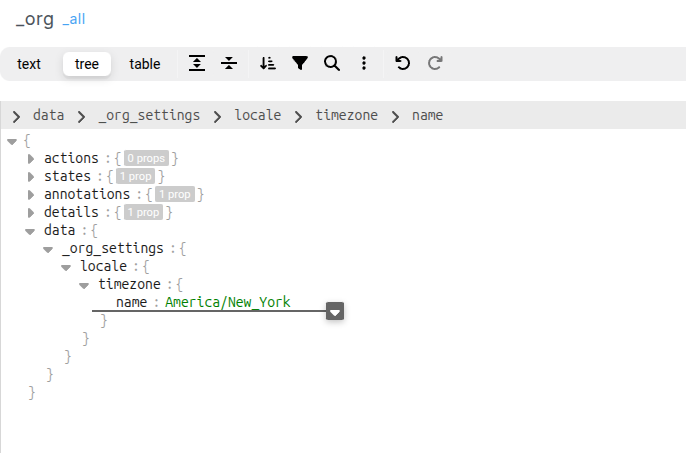
After adding the timezone, publish the _org template to ensure that the new timezone setting takes effect.