Orgs
Org Settings
Org Settings in Stubber
Org Settings are a way to manage settings across all templates in an org.
Adding Org Settings
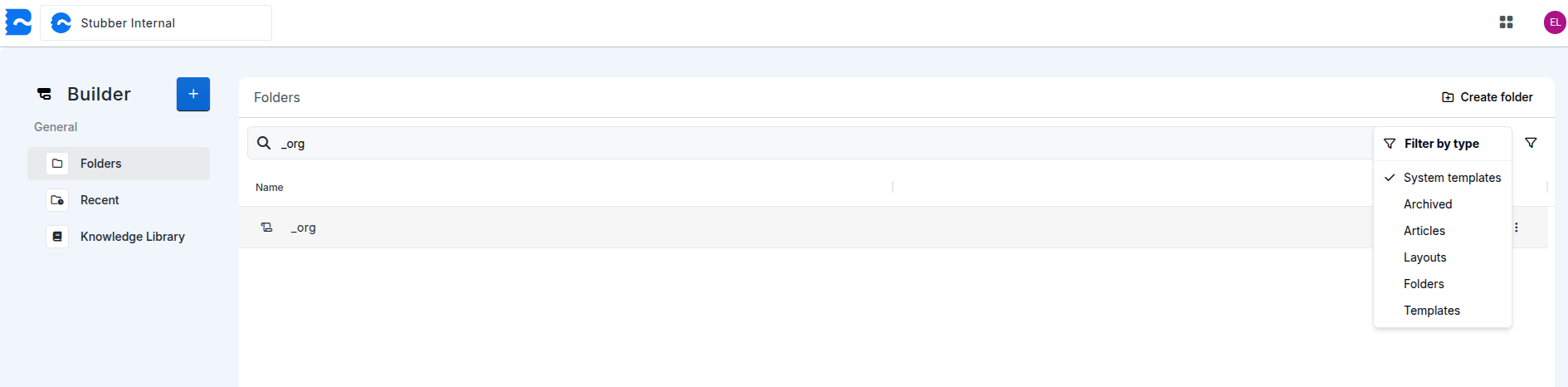
Currently Org Settings are managed in the _org system template in an organization.
In order to enable org settings, you must first navigate to _org template for your organization. Ensure that System templates is enabled in the search filters when searching for the template
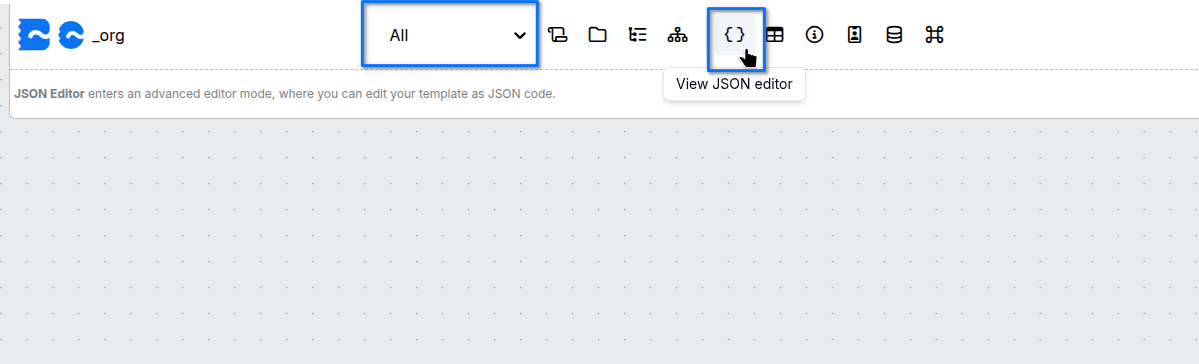
After navigating to your organizations _org template, switch to the all context.
Once in the all context, open the JSON editor to edit the template data for the _org template.
Once inside the JSON editor, add a _org_settings object under data
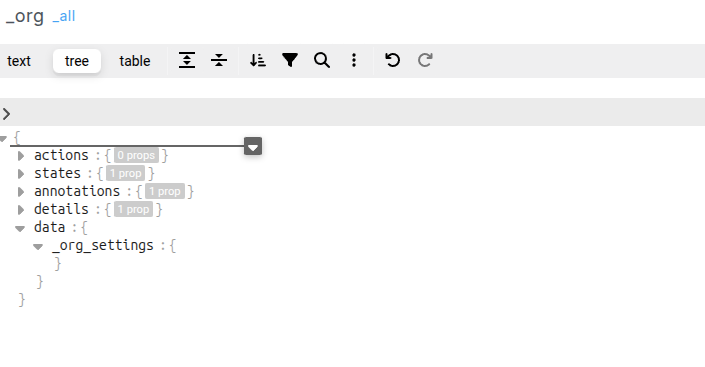
This is where the _org_settings for an organization will live. Specific settings added here will be applied to all templates in the org
When adding, changing, or removing _org_settings, the _org template will need to be published for the changes to take effect.
Available Org Settings
For more information on a specific org_setting use one of the links below
- Timezone Settings